How it works

A considered stepbefore you share.

Open a file. Review the suggestions. Choose what to remove. Inspect the new copy.

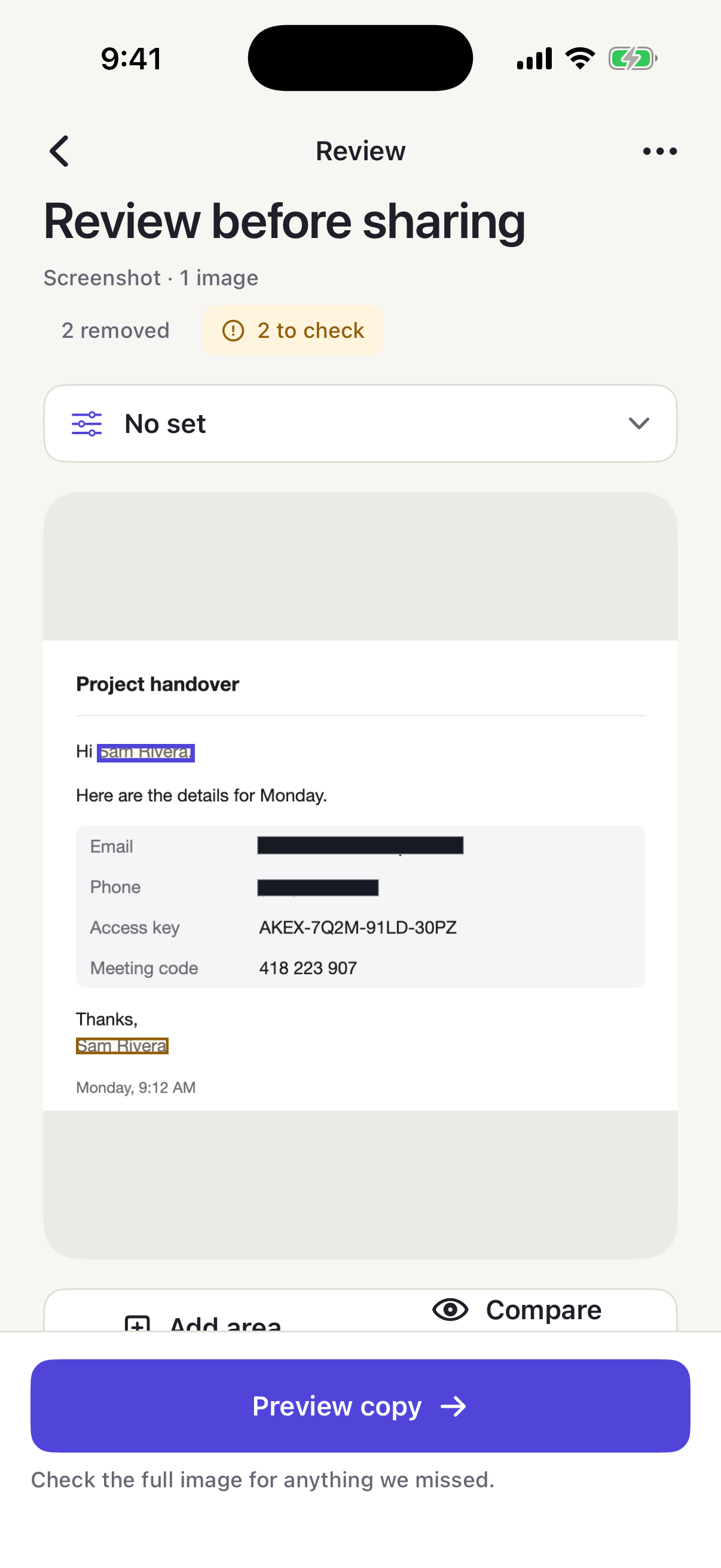
RedactRoom on iPhone showing a screenshot review: two details removed, two to check, with the review controls below.

Read on your device.Reviewed by you.

Read the file

Apple’s on-device text recognition reads text in your images and PDF pages. Small, faint or compressed text can be missed.

Review suggestions

Keep or remove suggestions in context. Select recognized words or add a manual area for anything else.

Revisit a choice

Use Undo to revise a decision and compare with the original while you review.

What it looks for.What it can miss.

The full list is in the app under Help → What RedactRoom checks. Each category explains what it looks for and what it can miss.

Language coverage is limited to English. Faces are not suggested; add a manual area around any face you want to cover.

Cover deliberately.Keep useful context.

Solid blocks cover the details you choose. Partial cover keeps chosen characters visible. Replacement labels retain relationships in supported text workflows.

A block’s size can still reveal roughly how long the text was. Partial cover and labels do not make a document anonymous.

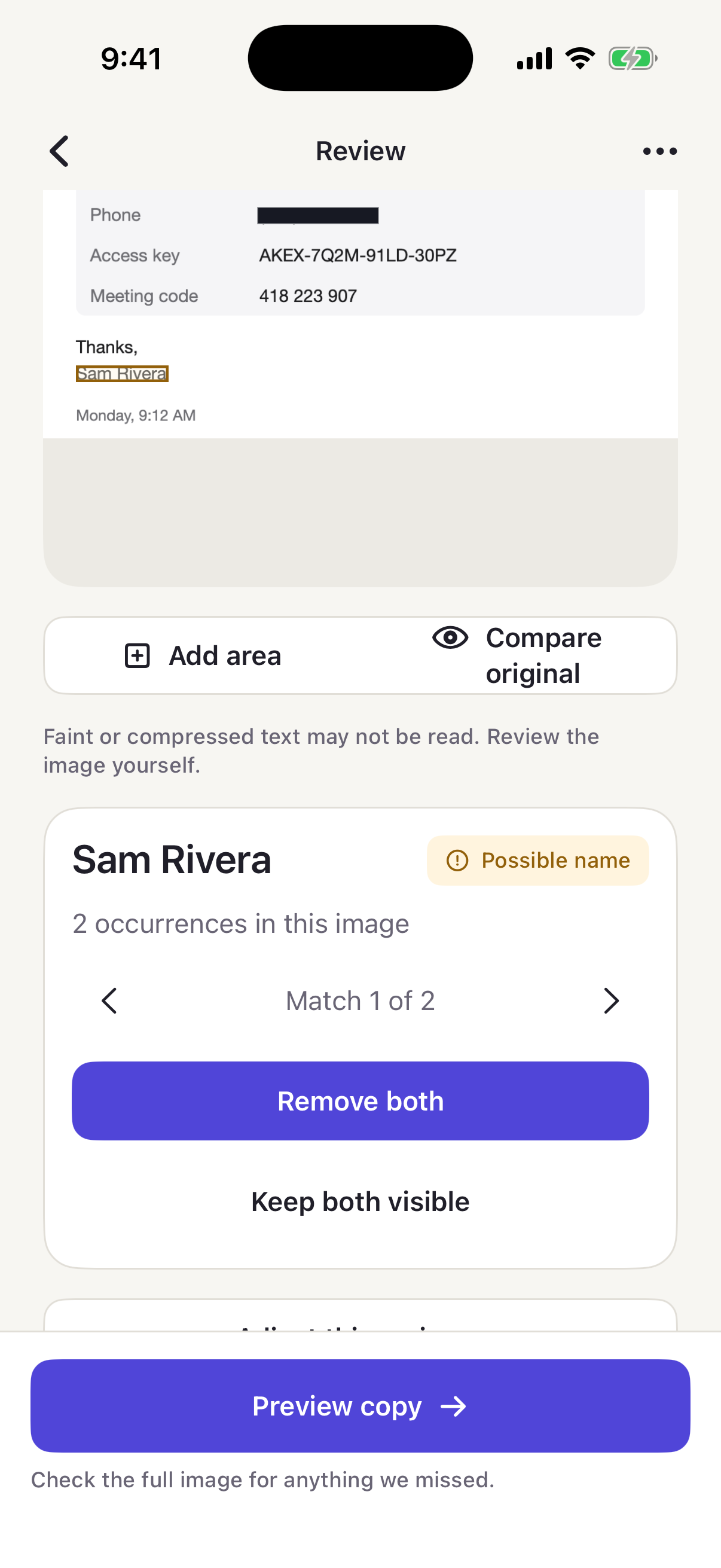
RedactRoom on iPhone showing a suggested name with two occurrences and the choice to remove both or keep both visible.

Choose what stays.

Keep a suggestion visible or remove it. Add an area for something else, then inspect the generated copy.

A new copy for the next step.

Images

A new image is written from the covered result. Location, camera details and capture dates are removed, and the copy is read back.

PDFs

The clean PDF is rebuilt from covered page images. Searchable text, links, forms and accessibility structure are not preserved.

Text and logs

Review the output before copying or saving. Use Keep structured where supported for JSON and CSV.

Checks describe the copy.They don’t decide for you.

Export receipt

Generated-copy information

Check results
What ran on this copy
Coverage
What was and was not checked
Format & version
Output type and app version
Time
When the copy was generated

This receipt describes export checks. Detection can miss sensitive details.

The receipt does not confirm that a file was saved or shared.

Share what matters.Redact the rest.

Pay once. Use forever.
No subscriptions.